
In the article I wrote about switching to Hugo for blogging a while ago (Goodbye Ghost, Hello Hugo), I mentioned how I used AWS CloudFront on the hosting side.
AWS had the advantage of working out of the box with Hugo (i.e. you could use the hugo deploy
command and no other dependencies were needed), but it required setting up
a bit of infrastructure.
I also ended up putting it behind Cloudflare to avoid being bankrupt in the one off chance it received a lot of requests (it was super cheap otherwise; a few cents a month.)
Lately, I wanted to simplify my infrastructure and came across Cloudflare Pages and decided to try it out. The process was surprisingly smooth. Basically, you just have to:
- Create an API key with write permissions to Account / Cloudflare Pages
- Install wrangler and create the project with
npx wrangler pages project create my-project(for some reason, it can’t be done though the UI) - Link your domain in
Custom Domainsin the Page Project
Note: the API key can’t be scoped to a specific Pages project, only to the whole account. If that’s a concern, consider using a dedicated Cloudflare account.
If your repo is on GitHub, you can skip CI/CD entirely by linking the repository directly in the Cloudflare dashboard. I use a self-hosted git repository, but I just had to add two steps to my CI/CD configuration:
- name: Build Hugo
  run: hugo
- name: Deploy to Cloudflare Pages
  env:
    CLOUDFLARE_API_TOKEN: ${{ secrets.CLOUDFLARE_API_TOKEN }}
    CLOUDFLARE_ACCOUNT_ID: ${{ secrets.CLOUDFLARE_ACCOUNT_ID }}
  run: npx wrangler pages deploy public --project-name=my-project
Note that public in the deployment command refers to Hugo’s default output directory containing
your website.
If you do not know your CLOUDFLARE_ACCOUNT_ID, just access https://dash.cloudflare.com/ and it
will redirect you to https://dash.cloudflare.com/{your account ID}/home/overview.
Performance is also good (at least according to PageSpeed Insights), and I saw no regression compared with CloudFront.
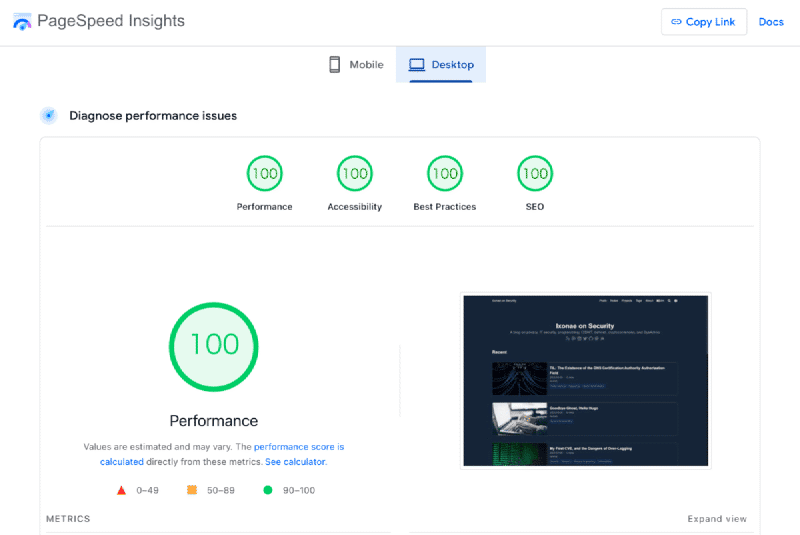
Overall, I’m pretty happy with the setup. I have one less AWS bill (Pages is free) and piece of infrastructure to worry about, and my blog is still easy to deploy and fast. The only downside I could find so far is that Cloudflare Page analytics is slightly weaker than CloudFront, but this is not a deal breaker.
Reply by Email